ONLINE GIS SOFTWARE
Online GIS Platform for Spatial Data Analysis
Upload spatial data, edit layers, run GIS tools, manage projects, and export professional maps, all in your browser.
No desktop GIS setupNo server deploymentOpen your browser and start mapping
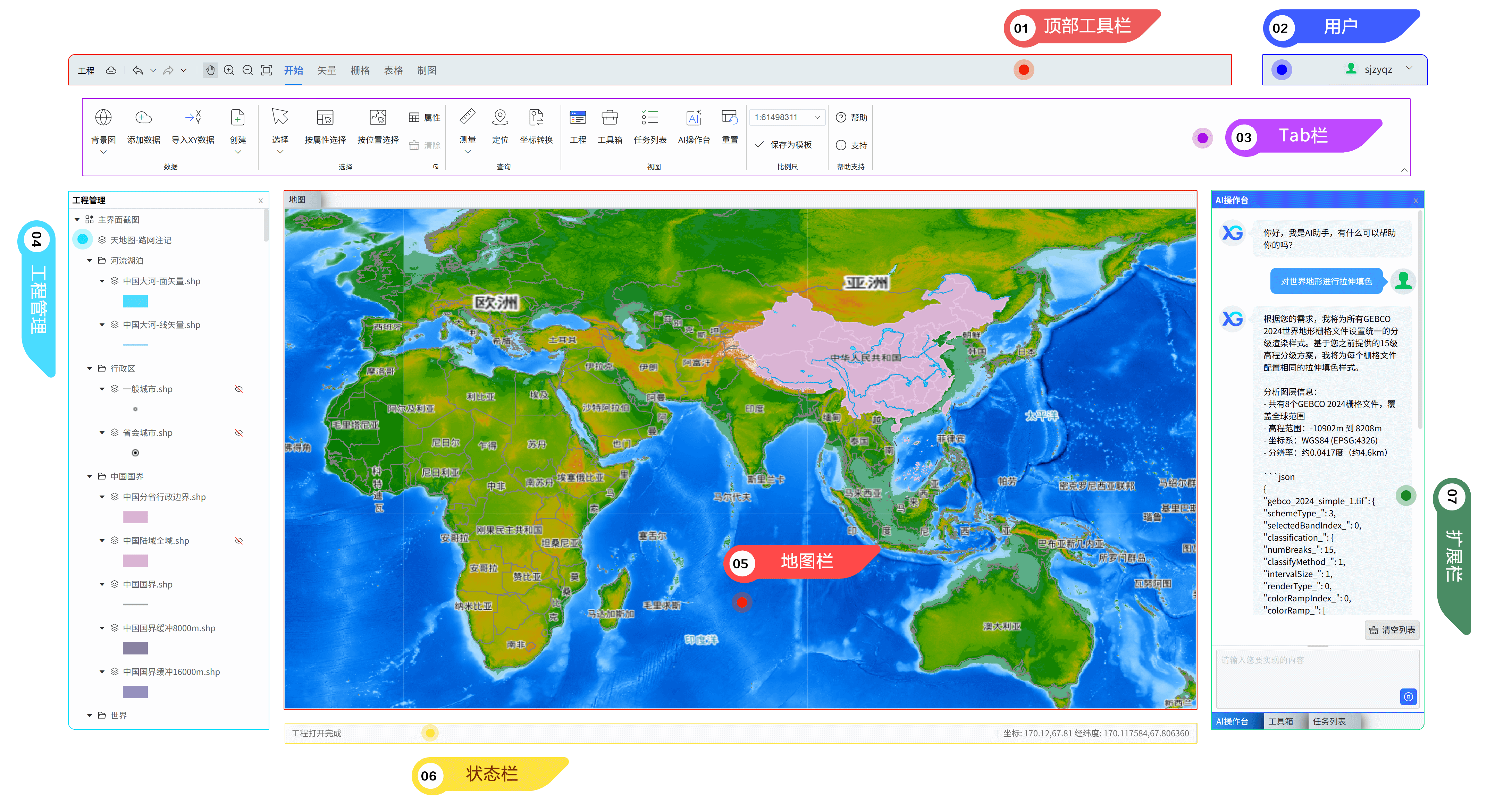
Who iXGIS Is For
Environmental consultantsEcological survey teamsGeography and GIS professionalsUniversity researchers and studentsRemote sensing and raster analysis usersParks, natural resource, and enterprise mapping teams
BROWSER GIS
Browser GIS for Spatial Data Workflows
IXGIS brings common GIS workflows into the browser. You can view, edit, convert, process, and analyze spatial data online, including vector data, raster data, coordinate reference systems, DEM workflows, and map production tasks. It is designed for users who need practical GIS tools without installing desktop GIS software for every task.
What You Can Do with iXGIS
Upload data, edit maps, run GIS analysis, and export maps online
iXGIS is a cloud-based WebGIS platform for environmental projects, ecological studies, research workflows, and everyday spatial data analysis.
Upload and manage GIS data
Import vector, raster, table, and basemap data into a cloud project. Keep layers, files, styles, tasks, and map outputs organized in one workspace.
Edit maps and spatial data online
Create and edit vector features, adjust attributes, process raster data, manage map layers, and prepare data for analysis directly in the browser.
Run GIS analysis tools
Use built-in spatial analysis tools for clipping, overlay, buffering, raster processing, terrain analysis, thematic analysis, and batch workflows.
A WebGIS Platform Built for Real Project Work
Move through the full GIS workflow in one cloud project
Many online map tools are made only for viewing maps. iXGIS supports data input, editing, analysis, task execution, map layout, and export.
Common Today
Online map tools often stop at map viewing and simple sharing.
GIS work is scattered across desktop files, scripts, folders, and separate web viewers.
Long-running processing jobs block the workflow or require manual checking.
Final map production often happens late and creates repeated layout rework.
With iXGIS
Use one cloud project to manage your data, tools, results, and final maps.
Keep layers, tasks, styles, templates, and outputs in one browser workspace.
Send heavy GIS operations to background tasks and monitor progress in the interface.
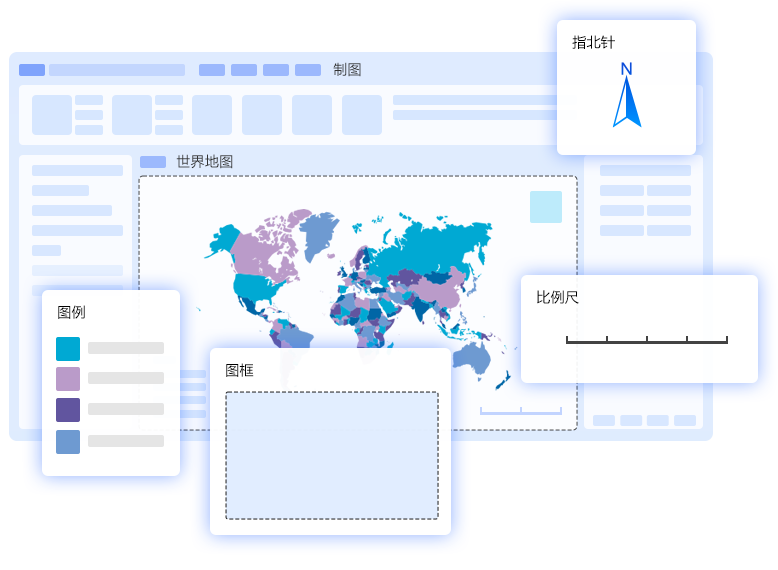
Design map layouts with legends, scale bars, north arrows, map frames, and templates.
GIS Workflow
Data input to editing, analysis, map layout, and export
No desktop GIS setup. No server deployment. Just open your browser and start working with your maps and data.
01
Upload spatial data
Import vector, raster, tabular, and basemap resources into a cloud GIS project.
02
Edit layers
Create features, edit attributes, process raster data, and prepare map layers for analysis.
03
Run GIS tools
Use clipping, overlay, buffering, raster processing, terrain analysis, and thematic workflows.
04
Track tasks
Run long operations in the background and monitor progress without stopping other work.
05
Export maps
Create standard layouts, reusable templates, atlases, and export-ready map outputs.
Why Use iXGIS?
Complete practical GIS work directly in the browser
iXGIS helps teams move from spatial data to analysis results and professional map output without switching between disconnected tools.
ANALYSIS
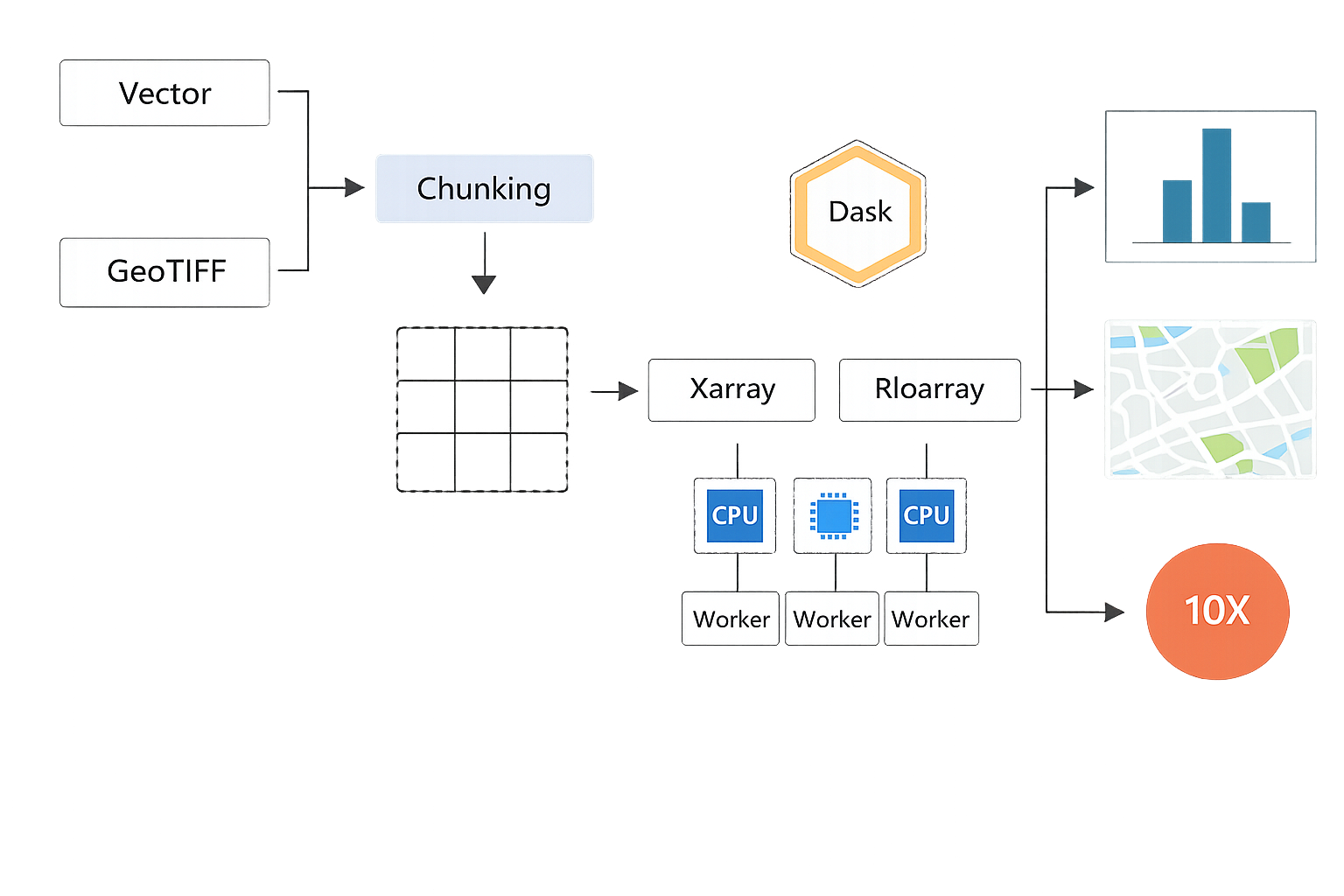
Run GIS analysis tools online
Use built-in spatial analysis, raster processing, thematic analysis, and background tasks in the same WebGIS workspace.
MAP PRODUCTION
Create standard map outputs
Design map layouts with legends, scale bars, north arrows, map frames, templates, and export-ready cartographic elements.
Work directly in the browser
Open your GIS workspace from anywhere. No desktop installation is required for standard mapping, data editing, and analysis workflows.
Keep your project organized
Avoid scattered files and disconnected tools. Manage layers, tasks, styles, templates, and outputs in one cloud project.
Reduce repeated work
Reuse map styles, layout templates, project structures, and analysis workflows across similar projects.
Track long-running tasks
Send heavy GIS operations to background tasks and monitor progress without keeping your workflow stuck on one operation.
Move from data to map output faster
Complete the core GIS workflow in one place instead of switching between separate tools for processing, analysis, and final map production.
Use AI-assisted GIS help
Get help understanding operations, workflows, tools, and map production tasks faster.
Product Capabilities
Online mapping, data editing, GIS analysis, and map production
Use iXGIS to upload spatial data, edit layers, run analysis tools, manage tasks, and create standard map outputs.
Data symbology and rendering
Cover common raster and vector rendering methods for readable, reusable map styles.
Raster stretch colorsRaster class colorsUnique value colorsRGB imagery colorsGraduated symbolsMulti-layer labels and advanced textSymbol library
Vector editing
Support continuous operations from drawing to geometry refinement for precise production.
Absolute/relative XY drawingFixed-angle and fixed-length drawingDirection-distance and intersection drawingMaintain topology while editingTrim and extendSplit and divideOffset, construct polygons, and merge
Raster editing and processing
Unify cell editing, registration recognition, and common raster processing workflows.
Set values and pixelateFilters and blurFill gapsInterpolate from vertices/edgesGeoreferencingRaster statisticsClip, mask, difference, composite, mosaic
Spatial analysis toolbox
Use cloud computing for large-scale spatial analysis, data processing, and thematic computation.
Spatial data analysisBatch processing workflowsBackground task executionLong-running computation trackingProject-based analysis workflowsAI in analysis workflows
AI workflows
Bring AI into daily use to reduce the learning curve and accelerate production.
Answer GIS questionsAI-assisted symbologyAI model buildingAI-assisted mapping
Standard mapping and atlases
Manage common deliverable map elements and reusable templates in one cartography system.
Map frames, north arrows, scale bars, legendsPrecise scale controlTemplate reuseBatch map exportAtlas composition
Common Use Cases
Built for environmental, ecological, research, raster, and project mapping work
Prepare spatial data, analyze project areas, process raster layers, create thematic maps, and export deliverable-ready layouts.
Start Free
Try iXGIS with the Free plan
Explore online mapping, data editing, raster processing, standard map export, AI-assisted GIS help, and daily GIS toolbox runs.
Free
0USD
Static data rendering
Bitmap georeferencing
Create and edit vector data
Edit and process raster data
Edit tables and create charts
Standard map export (96 dpi)
AI console trial
GIS toolbox (10 runs/day)
Cloud storage 1 GB
Professional
Recommended29/month
299/year
Everything in Free
High-resolution map export (600 dpi)
AI console (100 runs/day)
GIS toolbox (unlimited runs)
Cloud storage 10 GB
Advanced
Expanded49/month
499/year
Everything in Professional
Cloud storage 100 GB