PRIVATE DEPLOYMENT

iXGIS Private Deployment

A secure GIS workspace for government, enterprise, research, and professional teams

Deploy WebGIS capabilities for government, enterprise, research, and professional teams, bringing data management, spatial analysis, standard mapping, and AI assistance into your own environment.
Data stays in-domain
Capabilities built in
Systems integrated
Delivery scales
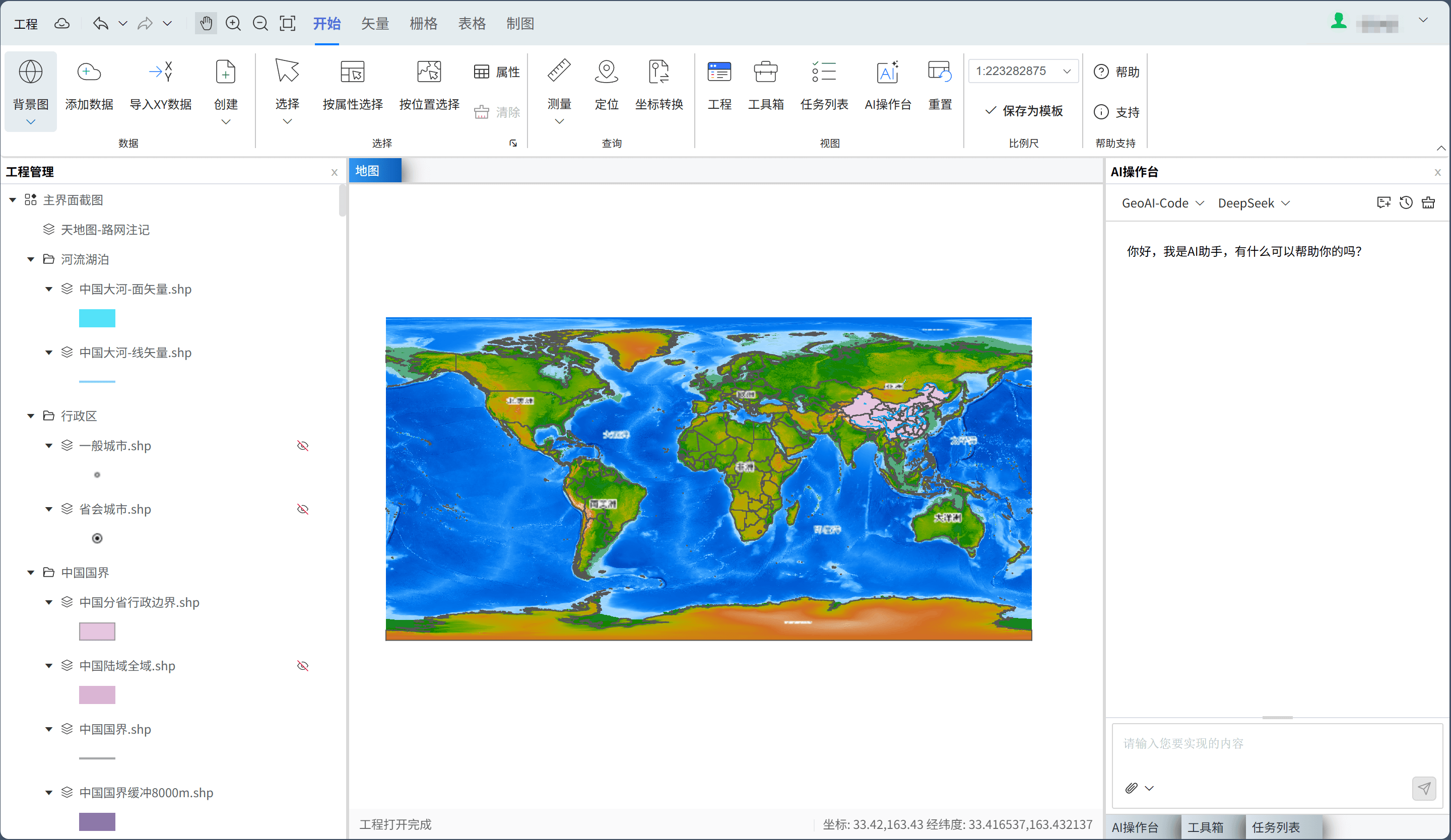
iXGIS private deployment platform interface
Map browsingData editingGIS toolboxAI consoleTask listOnline mapping
3 modesDeployment options
4 groupsCore capability modules
5 stepsStandard delivery process
Deployment EnvironmentGovernment/enterprise intranet / LAN / dedicated cloud
Integration TargetsUser systems, data resources, business systems
Solution Value

More than deployed software: build internal GIS production capability

Independent intranet deployment

Deploy core data, services, and algorithms in government, enterprise, LAN, or dedicated cloud environments.

Controlled data security

Keep business data within your domain, with configurable permissions, access boundaries, and storage policies.

Integrated platform capabilities

Combine WebGIS, spatial analysis toolboxes, online mapping, and AI assistance in one workspace.

Programmable extension points

Use reserved toolbox APIs to encode internal geospatial calculations and embed them in iXGIS.

Deployment Modes

Choose a deployment path that fits your scale and business complexity

Standalone Edition

Fast rollout

Best for small and midsize projects, demos, and independent research teams.

  • Fast single-server deployment
  • Ideal for pilots and prototypes
  • Low maintenance cost and short delivery cycle

LAN Edition

Internal sharing

Designed for multi-role collaboration with data management, editing, analysis, and map output.

  • Support multi-user intranet access
  • Unified permissions and resource management
  • Fit for daily departmental production

Cluster Edition

High concurrency and scale

Built for large datasets, high concurrency, or platforms that need continuous expansion.

  • Scalable service architecture
  • Adapt to high-performance computing resources
  • Support long-term evolution and system integration
Capability Coverage

Create a complete business workspace from map browsing to analysis and mapping

In a private environment, enable GIS platform capabilities, spatial computing and model orchestration, map production and output, plus operations and admin modules as needed.
iXGIS toolbox capabilities

GIS platform capabilities

  • Geospatial data organization and management
  • Raster and vector symbology
  • Raster and vector data editing
  • Map rendering and layer management

Spatial computing and model orchestration

  • Spatial analysis and statistical computation
  • Raster processing and batch operations
  • Model workflow orchestration and reuse
  • Parallel computing for big data

Map production and deliverable output

  • Map templates and layout standards
  • Thematic atlas composition
  • Batch and automated map output
  • High-quality deliverable export

System operations and admin

  • User login and permission management
  • User operation log auditing
  • Project auditing and management
  • Template and style management
Use Cases

For organizations with clear needs for data security, workflow standards, and system integration

Ecological and environmental supervision
Natural resource surveys
Water resources and watershed management
Park and enterprise digitalization
Thematic analysis for research institutes
Emergency response and integrated command
Delivery Process

Move steadily from solution planning to training and launch

We support environment setup, data onboarding, permission configuration, and business training so teams can build a sustainable production system quickly.

1

Requirements review

Clarify deployment goals, business roles, data scope, and security requirements.

2

Environment planning

Plan deployment around network, server, database, and storage conditions.

3

System deployment

Install the platform, initialize permissions, configure modules, and complete basic integration.

4

Data onboarding

Import business data, template assets, and common tool workflows to connect production.

5

Training and launch

Provide training, trial runs, and operations handover, with support for future upgrades.

Consultation and Demo

If you are planning an internal GIS platform, contact us to evaluate the right solution

We can recommend a private deployment approach based on your network, data scale, workflows, and integration needs.